The $200-ish AM4 Upgrade That Doubled My Dev Machine's Cores
Omarchy revived my 2022 NZXT gaming PC. A Ryzen 9 5900XT gave it a 16-core upgrade for builds, tests, and background agents while keeping the rest of the machine intact.
HardwareAMDDevelopmentLinuxOmarchy
My old gaming PC had been sitting around but still had plenty of life in it: a Ryzen 7 5800X, RTX 3080 Ti, 32GB of DDR4-3200, and an MSI B550-A PRO (CEC) motherboard. Replacing the whole thing felt too excessive with current memory prices. I'd love 64GB of DRAM, but I just can't justify it right now, even if prices seem like they'll keep climbing.
In my old setup, builds, test suites, Docker services, and coding agents were all competing for the same eight CPU cores.
Moving to AM5 meant buying a CPU, motherboard, and DDR5. Research revealed that would easily run $800 or more before touching anything else. AM4 still had an option for more concurrent work.
For roughly $200, the Ryzen 9 5900XT gave me 16 cores and 32 threads. Twice the cores, with the same motherboard, RAM, GPU, storage, and cooler. For my development and content workloads, that was a more useful place to spend money than a small single-core improvement.
System introspection with Grok
I'm going to be honest. I couldn't even find my original prebuilt order details to confirm what motherboard and CPU I was running. I got those details courtesy of Grok. And while I'm too lazy to roll three feet and unscrew the PC case to figure it out, I'm not too lazy to learn
the Linux utility way of inspecting hardware. Here's what I learned about my system and how:
Confirming the motherboard and BIOS. dmidecode is a Linux CLI that reads a computer's SMBIOS table:
The output identified these specs with a 2021 BIOS flash date. Way too old for the 2024 CPU I was targeting. Therefore, I had to flash an updated BIOS while my old CPU was still attached:
Motherboard: MSI B550-A PRO (CEC) / MS-7C56BIOS: E7C56AMS.HE2
Interestingly, Grok suggested my cooling curves were too conservative. If I had to guess, the thermal paste was also shot. My old CPU was running at near 90°C while running browsers and some light web dev tasks. I'd probably been frying it this entire time. I ended up manually setting the liquid
Kraken pump curve with liquidctl and the radiator-fan curve in the BIOS (Linux couldn't detect the hardware):
With an updated BIOS and confidence that my cooling system won't poop out, it was time to make the swap.
Swapping the CPU
I hadn't serviced this thing since 2022 (when I bought it). The first step was updating the BIOS while the 5800X was still installed. The detail to watch here is CEC: the MSI B550-A PRO CEC has its own firmware branch. It's easy to miss those letters when looking up a board that otherwise seems to have the same name. I did that and fumbled with a few failed BIOS flashes.
With the BIOS updated, I swapped in the 5900XT, cleaned the Kraken X53's cold plate, applied fresh Arctic MX-7 thermal paste, and remounted the AIO. The existing cooler stayed in the machine along with everything else.
Afterward, I re-enabled A-XMP so the TeamGroup DDR4 ran at its rated 3200 MT/s again. That was the biggest practical reminder from the upgrade: revisit your BIOS settings after a flash. XMP, boot mode, Secure Boot, and fan curves can reset. Getting the machine to boot is only part of finishing the job.
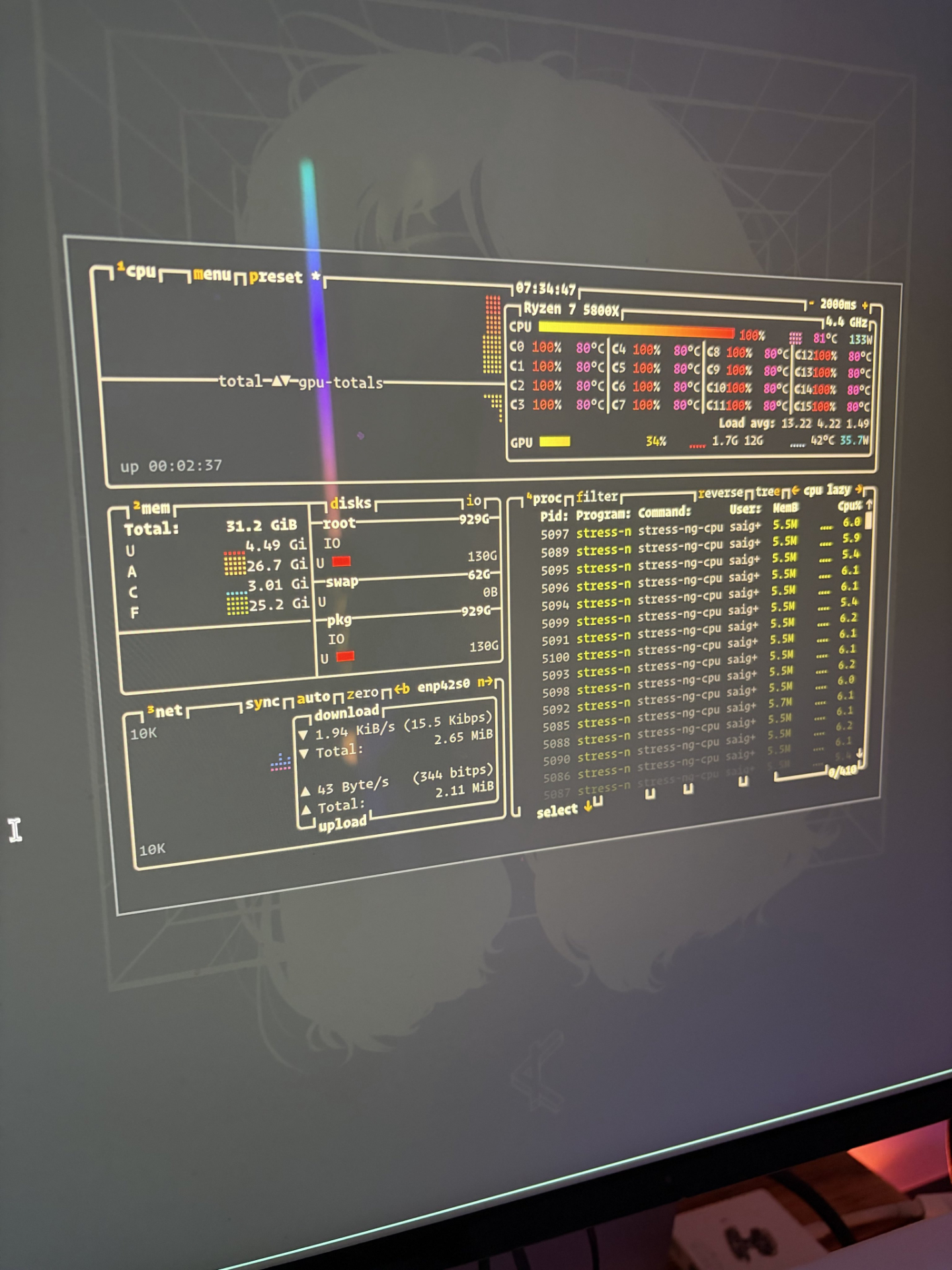
The Kraken X53 handled a five-minute all-core stress test comfortably. Coolant stayed in the low 30s °C, and CPU temperatures remained well below the thermal ceiling.
Takeaways
Using a single app feels broadly similar. Zen 3 is still Zen 3. The difference shows up when several things need CPU time at once: parallel builds and tests can run alongside browser automation, databases, Docker containers, and background coding agents without making interactive work miserable.
That extra capacity fits what this machine is becoming: an always-on remote build and agent worker. I can leave more work running on it while keeping it comfortable to use. Doubling the core count is useful even when an individual task feels much the same.
If you already have a solid AM4 machine and CPU concurrency is your bottleneck, the 5900XT is worth considering. In my case, about $250-ish bought more room for the work I actually run and kept a perfectly capable 2022 PC useful. The motherboard, RAM, and GPU still do their jobs. They can stay.